Introducing Prompt Enhancement
The quality of an AI response depends heavily on the quality of the question. A vague prompt produces a vague answer — and most developers write prompts quickly, without thinking about how the model will interpret them.
We built Prompt Enhancement to close that gap automatically.
What It Does
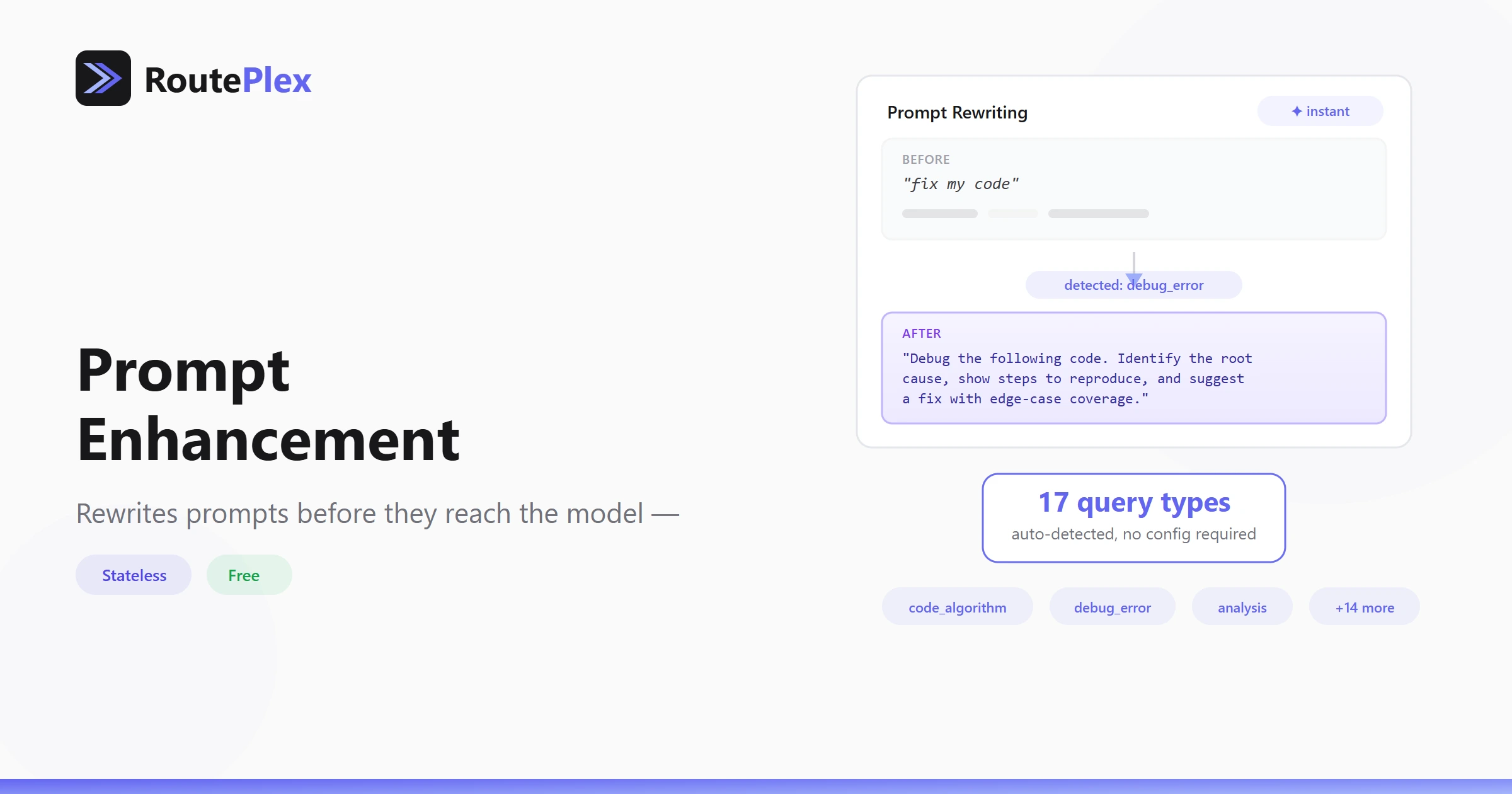
When you enable enhancement, RoutePlex analyzes your prompt before it reaches the model. It detects the type of question you're asking — code, debugging, analysis, writing, math, and more — then rewrites it with type-specific improvements.
A vague "sort a list in python" becomes a well-framed question that specifies language context, asks for edge case handling, and requests an explanation alongside the code. The model receives a better question and returns a better answer.
All of this happens in milliseconds, server-side. No extra round-trip, no user-visible delay.
Complexity Gating
We don't rewrite every prompt. If your prompt is already detailed and specific, enhancement is skipped automatically. The system recognizes that a detailed prompt doesn't need help.
This means enhancement adds value precisely where it's needed most: quick, terse prompts from developers who are moving fast.
Completely Stateless
Prompt Enhancement processes your prompt in memory and immediately discards it. Nothing is stored. The standalone /chat/enhance endpoint — which returns the enhanced prompt without executing a chat call — doesn't even require an API key.
How to Use It
Add a single parameter to any chat request:
{
  "messages": [{"role": "user", "content": "debug my python code"}],
  "mode": "routeplex-ai",
  "enhance_prompt": true
}
Using the OpenAI SDK? Pass a header instead:
response = client.chat.completions.create(
    model="routeplex-ai",
    messages=[{"role": "user", "content": "debug my python code"}],
    extra_headers={"X-RoutePlex-Enhance": "true"}
)
The response tells you whether enhancement was applied and which query type was detected:
"enhancement": {
  "applied": true,
  "query_type": "debug_error",
  "original_prompt": "debug my python code"
}
Try It in the Playground
The Playground has an enhancement toggle (✦) on the input bar. You can see the detected query type, the rewritten prompt, and compare the response against the original — all in the browser.